In this day and age, with the proliferation of smart phones, the term “there’s an app” for that is pretty apropos. From apps that allow the user to have some manual control over the camera to apps that help you find The Milky Way, there is a plethora of smart phone apps that will help you get the shot.
Since I am an Iphone user, all of the apps that I mention are IOS. Some of the apps are available on Android also, but some are not, so please keep that in mind.
PHOTOGRAPHY SPECIFIC APPS
CAMERA
I doubt very few of us use the camera to snap wall hanging shots, but the camera does have a couple very good uses.
The first one is the take a snapshot of a location. Sometimes, when I am out shooting, I will take a quick shot for social media reasons, and other times I will take a shot so I know what I am looking for when I return at a later date.
I am a big fan of the time lapse feature. I have more than a passing interest in the art of time lapse, but at this point, I have no problem using my phone to do a quick time lapse while I am out shooting. It is not the best thing as at times the video will have some flicker to it, but for the most part I am happy with what I capture.
PHOTOPILLS
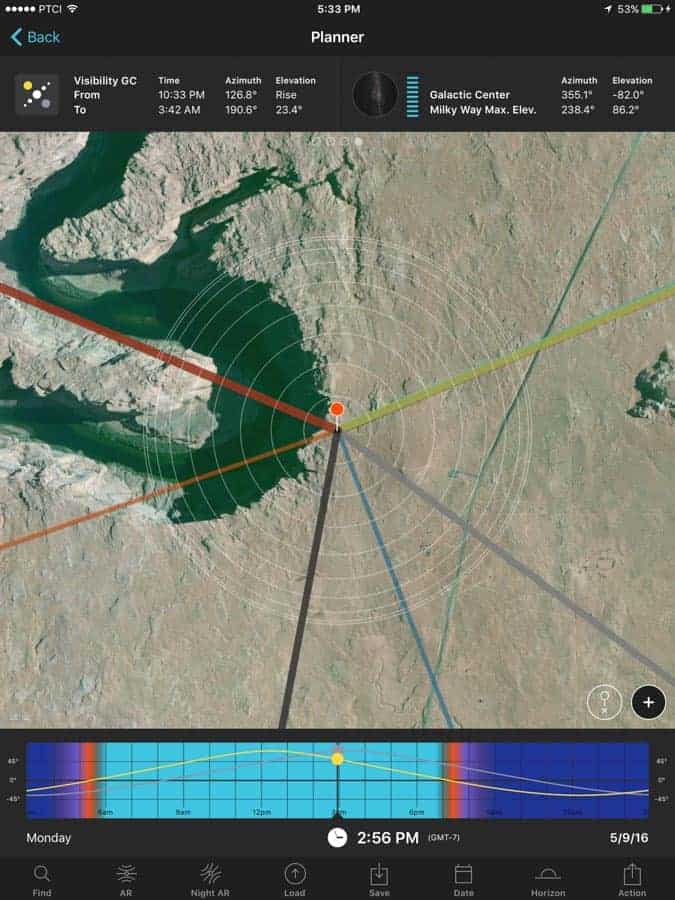
The one app that I do have that is designed for photographers is Photopills. Kevin Jordan did an excellent write up about the app in this recent article for Improve Photography. The planner portion of the app is gold itself and is probably worth the $9.99 alone. All of the other features that is packed with this app definitely makes this app a worthy investment for just about anyone who heads outside to shoot.
Although there is no Android option for Photopills, Keven mentioned Plant It! for Photographers. A good alternative to Photopills is The Photographer’s Ephemeris. It is available for IOS, Android and Desktop. Although I have only used the desktop version, the app mirrors the planning area of Photopills and I use it on occasion when I am researching a location.
***UPDATE*** Photopills has a release date of March 2017 for Android users.
And with that, I am finished with the photography specific apps. Now it is time to dive off into some of the other apps that I use that are meant for a wider audience, but are very useful tools for photographers.
APPS NOT SPECIFIC TO PHOTOGRAPHY
MOTIONX GPS
When I first drafted this piece, I had no plans of mentioning this app, but a recent question that popped up in the Improve Photography Podcast Listeners group of Facebook changed my mind.
There are a number of navigation apps available for smart phones that can do a lot of different things for you but before I continue, be prepared before you venture out into the backcountry.
Even though I have seen improvements in phones over the years, I would not trust a navigation app 100%. Have some basic knowledge of land navigation and get a compass and paper maps as a bare minimum backup. I have always been impressed with GPS units that use satellite signals, but again, they use batteries. Be prepared and have a back up!
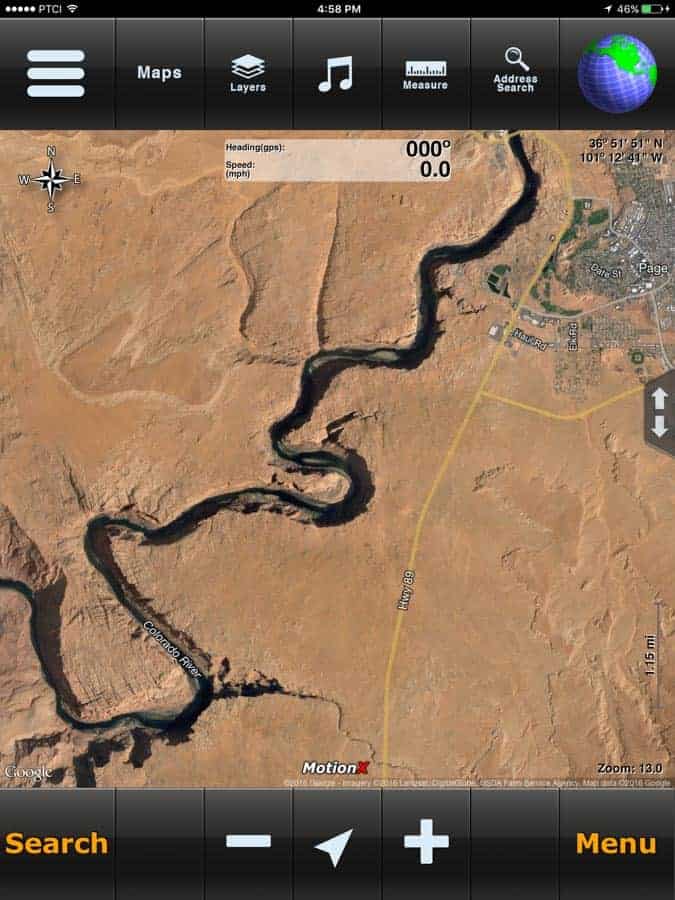
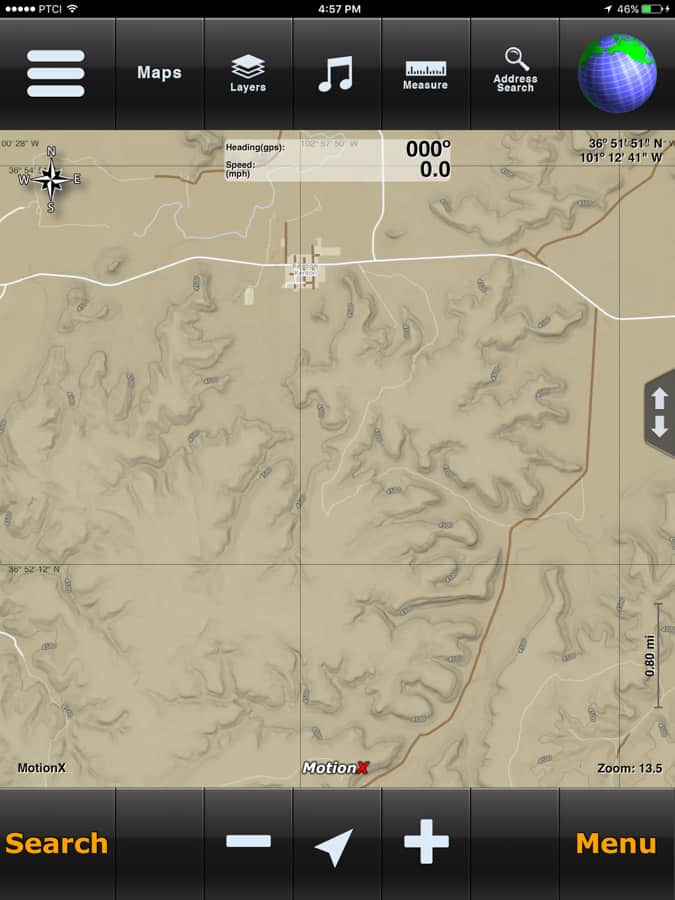
MotionX GPS is a solid GPS app that will allow you to navigate around. It accesses several different map systems to include satellite, road, terrain, hybrid and marine maps from MotionX, Bing, Apple, NOAA and Google.
Some of the things that you can do with MotionX GPS is record tracks which is good if you need to backtrack. Mark waypoints if you find a spot which you want to shoot and in conjunction with the camera, you can take a snapshot of the location you have marked. You can also upload and download .gpx files. A .gpx file is an XML schema designed as a common GPS data format for software applications. It can be used to describe waypoints, tracks, and routes. You can also upload these files to GoogleEarth. If you are like me and use GoogleEarth as a tool to scout possible photography locations, then this might be a very useful ability.
Since my Garmin GPS failed awhile back, I have used MotionX several times. Although I am still leery about using it all the time depending on my provider’s coverage, the app is very solid.
MotionX GPS can be purchased at the AppStore for $1.99.
STARWALK II
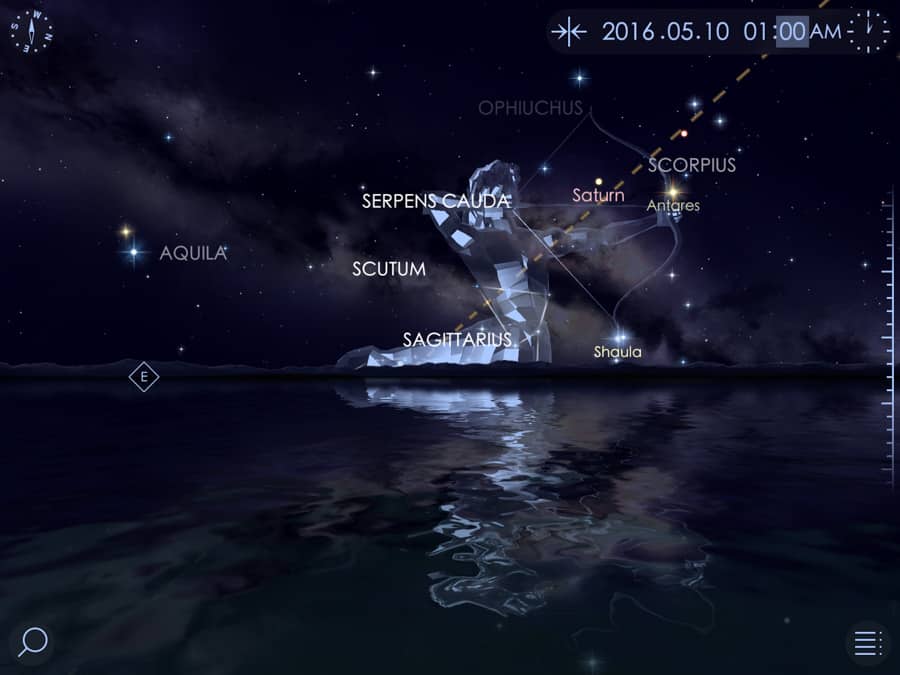
Starwalk II and it’s predecessor Starwalk are astromony apps, but are very useful for photographers.
Starwalk is a guide to the night sky. It covers just about anything interstellar a photographer would want to know from meteor showers, planets in alignment to what time and where The Milky Way will rise. One of the app’s features is the calendar. The calendar has a listing of events, such as meteor showers listed throughout the year. Some of these listings will also have descriptions of the event and in the case of meteor showers, sometimes the average rate one can see “falling stars.”
Another real helpful feature Starwalk has is the ability for the user to lock the guide. Basically what this does is allow the user to point the device into the sky and the guide will display on screen what the user is looking at.
While the app is not targeted towards photographers, it has been recommended in photography communities across The Internet and well, if you want to get out and explore the night sky with your camera, this app should be on your “must have app” list. The app is available for both IOS and Android for $2.99.
MYCSC
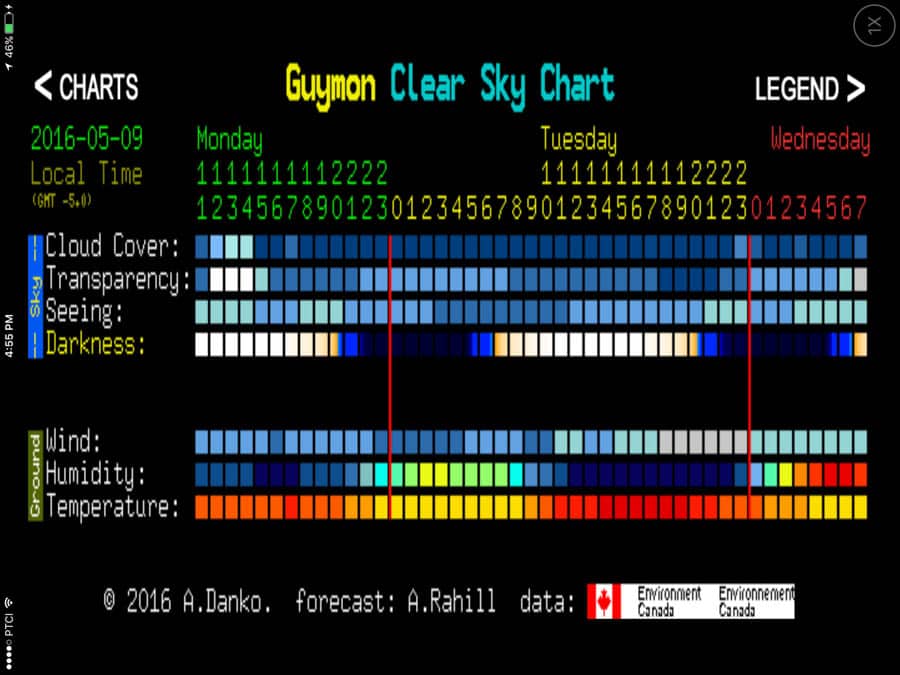
MyCSC, or My Clear Sky Chart app for IOS is a great little app for only $1.99. It does not matter what you shoot, if you shoot outside, you might want to take a look at this nifty little app.
The app is based on the website Clear Sky Chart. The website brings together numerous sites from throughout North America that forecasts how clear the sky is going to be at that site for approximately the next day. The information is broken down into transparency, seeing, darkness, wind, humidity and temperature, all ingredients for seeing the night sky. Although I have numerous weather apps, this little app will give me a good idea of what I will be looking at sky wise for sunsets, sunrises and Milky Way shots.
WEATHER APPS
You really do not have to be a photographer to have a weather app or ten on your phone. I personally have 12………………….
Yes, you read that right, I have 12 weather related apps on my IPhone, but I do not use them all. There are several that I love and use them all the time. Those are the apps that I will be covering here.
STORM
I have heard Jim Harmer mention this one on the podcast. In my opinion, this is the best all around weather app hands down.
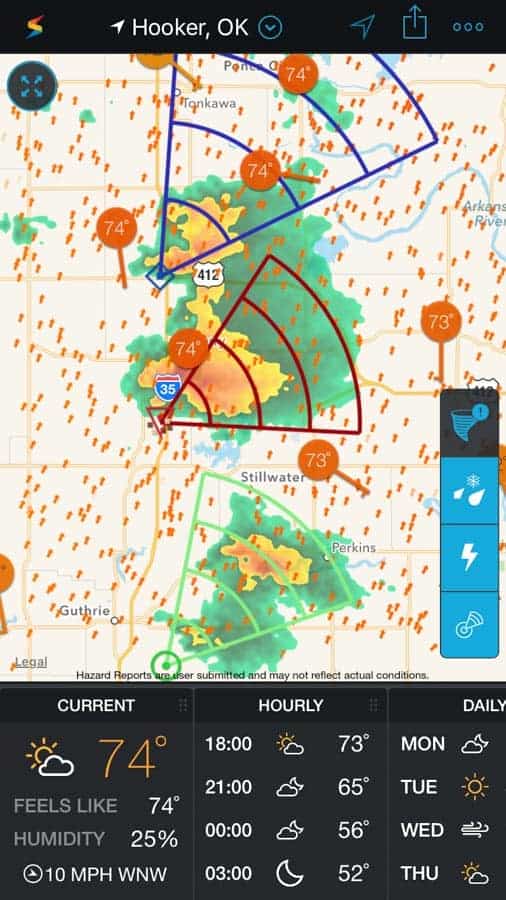
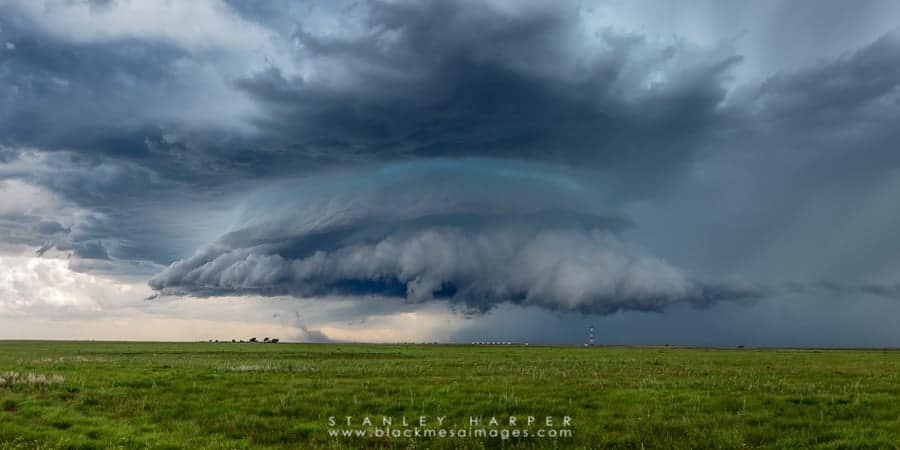
The app is by Weather Underground and I have seen this app improve drastically over the last few years. It was pretty solid when it first came out, but it has been improved to what it is today. I do pay for the subscription because I like to get all the information I can about the weather. I live in Oklahoma and even before the publication of this article, spring weather has been weird and wacky. One of the little gems of this app does is show the storm tracks on radar. They are color coded relative to the storm’s strength and tapping on the track icon will pop up some information about the storm, which can be useful.
On top of that, the app gives hourly forecast information along with a long range forecast and a whole host of weather related information. If you have an Ipad, the Ipad version also provides an overlay showing the Convective Outlook. I will not go into what this is, but for us here in Tornado Alley, we tend to pay attention to this little piece of information during this time of year.
I highly, highly recommend this app. The app is free and the ads free unlock is $1.99. It is also available for Android.
RADARSCOPE
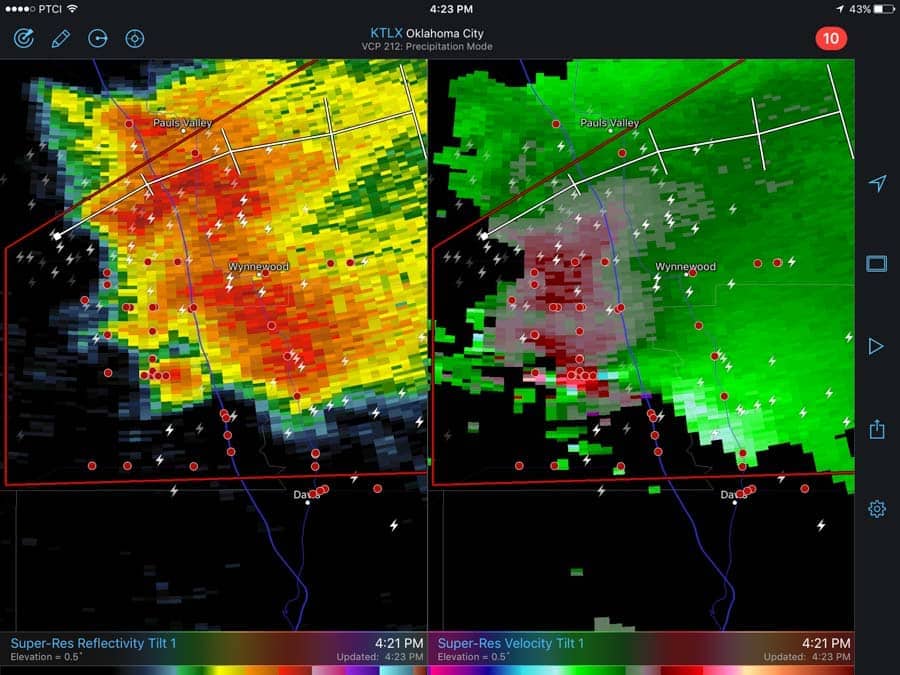
Radarscope is a more intensive radar app that is focused more on the radar images itself than presenting a well rounded fountain of weather information. This app is geared more towards to storm chasers, amateur meteorologists and I have been seeing snapshots here and there of TV weather folks using the app to show the viewers what is going on. That might not sound like a big deal considering some of the other apps out there, but the difference is that Radarscope users can use the tools that come with the app to look deeper into a storm. For example, with Storm, the radar will show me a tornadic signature icon on a storm. With Radarscope, I can dissect the radar image and can actually see the tornadic signature on radar which cannot be done with Storm or some of the others. I can see wind speeds in specific parts of the storm which cannot be done.
Another facet of Radarscope is that it is tied into Spotter Network. I will not go into what Spotter Network is, but if you have an account, you can log in via RadarScope and have your location broadcasted over the app, and see who all else is out chasing the storms.

MYRADAR
Since I heard Nick Page mention this app, I figured I would give it a test run to see what it would do and so far I like it. I still need to look at it more, but I think it would be a worthy substitute for Storm. I have not been able to give this app a full workout, but I like what I see so far. With the different layers that show cloud cover, warnings and watches and other weather related weather information. Just recently, the Severe Studios teamed up with the app so now users can follow their team of storm chasers and their live feeds during storm season.

EPILOGUE
While there are many more apps out there that are strictly photography based, and apps that can benefit a photographer, this is my “Top Apps” that I use to make shooting decisions. From scouting a location to timing a Milky Way shoot to avoiding severe weather or photographing same; these apps have proven themselves to me to be the best apps for me. I would love to see what you the readers have for recommendations. Feel free to leave them in the comments section below. Thank you.