
A portrait can look wonderful on the editing computer and disappear on a studio wall. The room is brighter, the viewer farther away, the crop different. A digital photo frame can show a chosen collection without asking anyone to navigate it. Touch matters when a client wants to stop, enlarge, or compare a picture. ALIHH lists frames with touch as an option and also sells separate touch monitors. The precise configuration and the software behind an interactive gallery need checking before an order.
Define the Display Job Before Size
Consider the two minutes before a consultation starts. A client is standing near the reception wall. The studio wants to show the kind of portraits it makes, perhaps several family groups and a close-up. Nobody needs to tap the screen. The photographer, rather than the visitor, owns the sequence.
Now move to the table. Two people are deciding which pictures belong in an album. One asks to see a face larger; the other wants to return to a group shot. A timed slideshow would interrupt them. This is the point at which touch could earn its place, provided the gallery software lets them do those things. The client task, not the presence of a touch panel in the catalog, determines whether the feature is worth specifying.
Three arrangements are worth comparing: a non-touch wall frame; a frame with a confirmed touch option; or a separate monitor driven by the studio’s computer. For the touch choices, check software, ports, installation, and whether visitors can reach the display. Mark viewing distance and the power outlet on a floor plan before asking for a screen size.
Use a Digital Photo Frame for Photography Studios
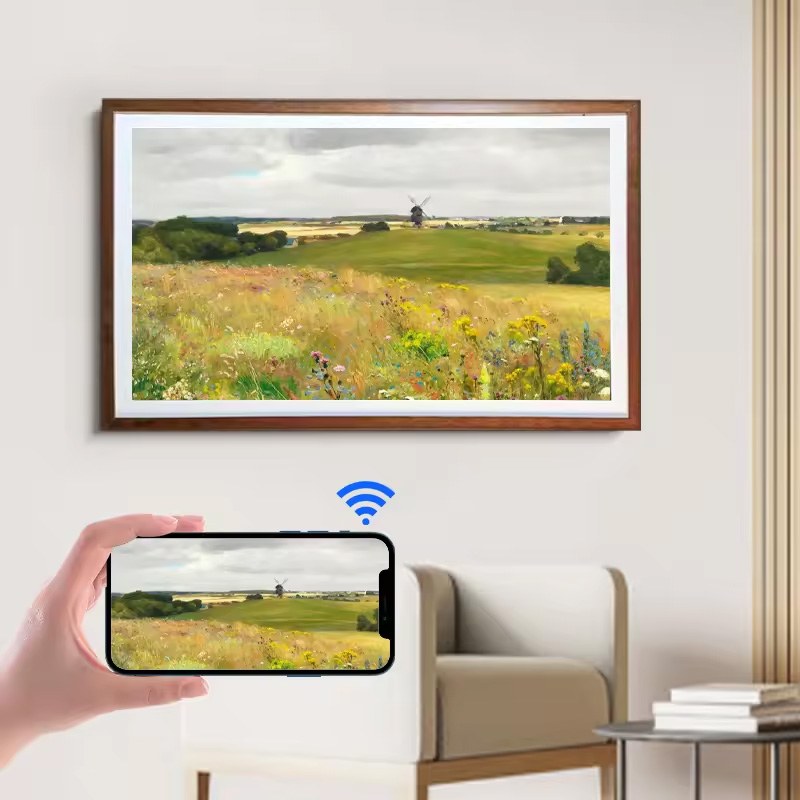
The ALIHH digital photo frame range describes 21.5- to 65-inch sizes, updates through a PC or app, and optional 4K, anti-glare, and touch features. “Optional” matters here. The category page does not say that every size includes every feature. Ask for the specification of the actual frame being quoted, including the finish and orientation in which it will be installed. ALIHH also shows wooden-frame models for venues that want the display to read as part of the room rather than a bare panel.
Edit the first playlist like a printed portfolio. A wedding studio might separate ceremonies from family portraits. In a rapid mixed loop, a visitor may miss the service the studio wants to show. Watch the sequence from the doorway and give each photograph time to register. Check vertical files before buying a horizontal display; an automatic crop may remove a person near the edge.
Lighting is part of the test. Put a sample where the frame will actually hang, switch on the lights used during opening hours, and look at a dark photograph from the client’s position. A glossy-looking product image says little about reflections from a particular window or spotlight. If several rooms will run different portfolios, the team also needs a routine for naming, approving, and replacing each set. Remote updating is useful only when the responsible person and the connection at each location are known.
Add a Touch Monitor for Guided Image Selection
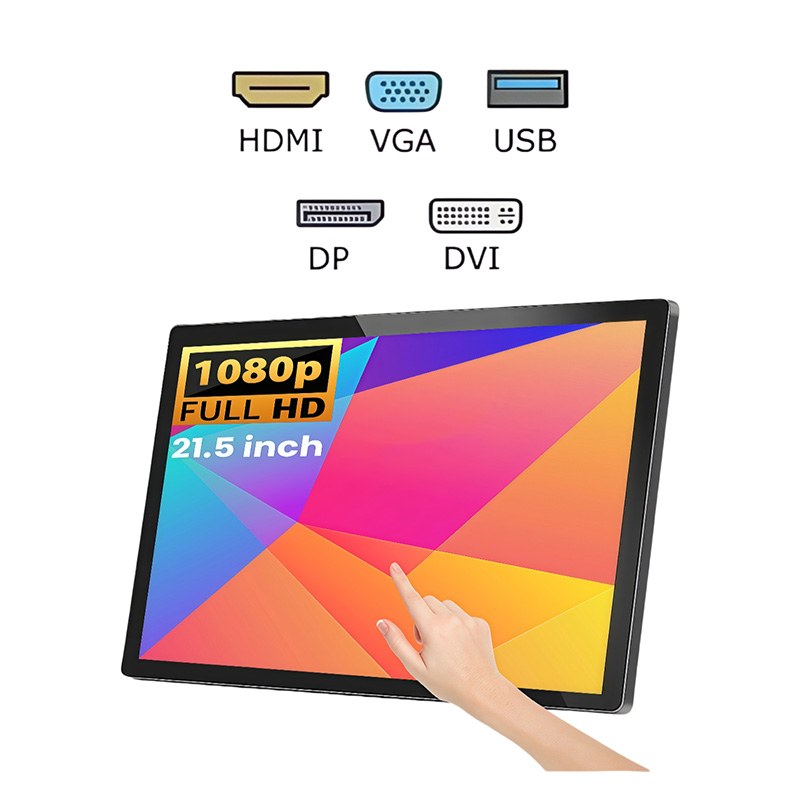
ALIHH’s published 21.5-inch touch monitor specification lists a 1920 × 1080 IPS panel, ten-point capacitive touch, and HDMI, VGA, and USB connections. A 15.6-inch touch model is also listed. These are plausible candidates for a consultation position, but the screen alone does not store a client’s choices or create a searchable gallery. A computer or compatible player and the studio’s software have to do that work. The mounting arrangement should also be confirmed for the proposed desk.
Try the actual appointment sequence on the intended host: open a client’s collection, enlarge one picture, go back, compare another, then save or record the selection by the method the studio already uses. If a second display is connected, touch mapping deserves a test after a restart. Otherwise a tap at the client’s screen can operate the photographer’s other screen. That fault is easy to miss in a product demonstration that shows only one monitor.
An optional touch frame may be a better visual fit when the interaction happens on the wall. It still needs the same question about navigation: what interface will the visitor see, and who supplies it? The category page establishes that touch can be requested; it does not establish a particular image-browsing application. Ask ALIHH to show the proposed frame and software working together before treating touch as a client selection system.
Test Pictures, Color, and Cropping in the Room
Build a small test folder from finished photographs. Include a bright dress against a pale wall, dark clothing, a close portrait, and a group shot where the edge of the frame matters. Export display copies and keep the masters in the studio’s normal archive. Sit where a client will sit. If the group shot loses a face to cropping, change the presentation file or the screen orientation before discussing a larger order.
The display can help people choose a composition. It cannot, by itself, settle a color-critical print approval. Ambient light and the studio’s color workflow affect what the client sees. Keep the established proofing method for retouching and print decisions, especially if the final product is an album or wall print. The test here is whether the display supports the conversation, not whether it can replace a calibrated production process.
Leave the sample in place for several appointments. Can the receptionist change a playlist? At the selection desk, note where clients hesitate: finding a collection, returning from a close-up, or recording a choice. The fix might be in the files or software rather than the display.
Send ALIHH a Brief for the Exact Setup
The brief can fit on one page. State where the screen goes; who will stand or sit in front of it; the expected orientation; whether clients must touch it; the size of the available wall or counter; and where power and network access are located. Name the content source and, for a touch monitor, the computer and gallery software. Add photographs of the room and one representative display file if the studio can share it.
Ask ALIHH to identify the exact frame or monitor model, the optional features included in that quote, the installation method, and the inputs required. If a touch frame is proposed, request a demonstration of the intended browsing action, not only a finger moving a menu. The small monitor mounted on a camera belongs to a different equipment brief: the published frame and touch monitor pages do not document camera mounting, portable power, or specialist live-monitoring tools.
Conclusion
A digital photo frame can give a photography studio a changing portfolio on the wall. Touch is worth adding when clients need to control what they see; it may be an option on a selected frame or part of a separate monitor setup. The decision becomes easier after the studio tests real photographs, its actual gallery software, and the room in which people will view them. Then the supplier can quote a defined configuration instead of guessing what “photography display” means.
FAQ
Q: Can a digital photo frame show a photography studio’s portfolio?
A: Yes. ALIHH lists commercial frames for image and video presentation. A studio can prepare an approved sequence for a reception wall or exhibition space, then test the proposed size and orientation in the actual room. Confirm how the chosen model loads and updates content; the category listing alone does not settle every configuration.
Q: Does ALIHH offer a digital frame with touch?
A: Its digital photo frame range page lists touch as an optional feature. It does not identify every size and configuration that includes it. Ask for the exact model specification and a demonstration of the intended browsing workflow. The presence of a touch surface does not prove that photo selection software is included.
Q: What is needed for client selection on a touch monitor?
A: The monitor needs a suitable host device and gallery software in addition to its display and touch connections. ALIHH lists a 21.5-inch IPS model with ten-point touch and HDMI, VGA, and USB. Test the studio’s real collection, the way choices are recorded, touch mapping, and restart behavior before using it with clients.
Q: Is this the same as a monitor mounted on a camera?
A: The published digital frame and touch monitor pages do not document camera mounting, portable power, or field-monitoring tools. They support an evaluation for presenting finished work in a studio. A camera-mounted monitor requires a separate specification matched to the camera’s signal and the shoot’s power and mounting setup.