
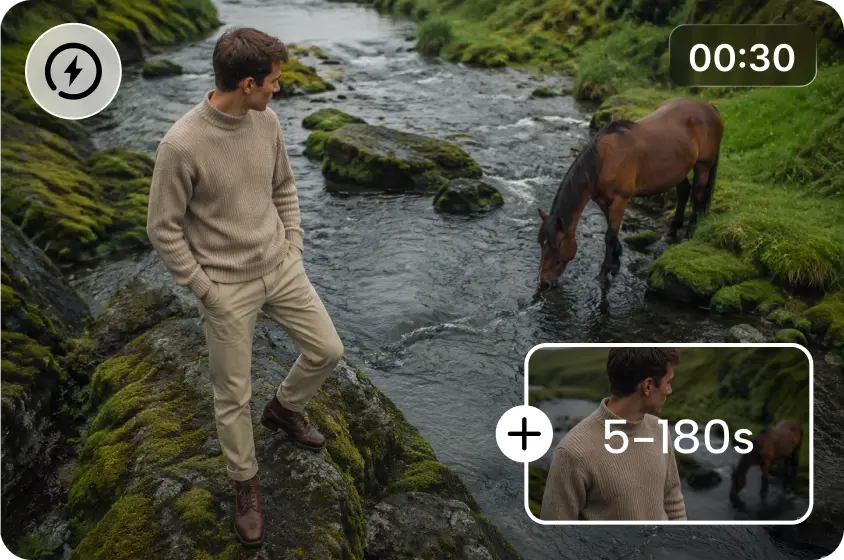
Customer Testimonials tell stories through expressions, environments, gestures, and meaning. Well-planned visuals enable the audience to see how a product/service fits into their daily lives. Dreamina AI generates content video scenes from written creative inputs for testimonial videos. Creators can make introductions, support footage, transitions, and closing pieces without having to set up each scene in a traditional shooting style. But credible movement, correct messaging, and responsible representation are still key. An effective testimonial is a mix of powerful images, honest customer proof, and branding.
Understand the Visual Language of a Convincing Testimonial
Videos with testimonials are more credible when seen in a natural setting or when performances are held back. Dreamina's text to video generator enables video creation, using written instructions to provide illustrative scenes that help to craft a clear narrative: contextual, non-distracting, comfortable homes, contemporary work spaces, and relevant retail spaces. The overall scene features natural gestures, expressions, and movements, which help to convey a conversational atmosphere. Visual coherence is reinforced by consistent lighting, complementary colors, and recognizable brand styling. An effective sequence is a progression from a starting challenge to discovery/understanding without over-dramatizing outcomes. Steer clear of improbable situations, theatrical responses, and created images that don't match the realities of the story.
Design Testimonial Scene Concepts Before Generating Videos
First, try to figure out what the main point of the testimonial was and what specific experience the testimonial should convey. Differentiate between customer statements and promotional language and creative interpretation when formulating visual concepts. An establishing shot can be used to show the background, and supporting shots can be used to show background activities. Don't include any personal experiences, product results, or measurable improvement that a customer did not report. Identify locations for recorded statements, verified quotations, captions, and voiceovers during the editing process. Ensure continuity of camera moves, light, mood, and color in similar scenes. This preparation actually produces a feasible visual roadmap and minimizes unneeded re-generation.
Steps to Illustrate Customer Testimonial Scenes With Dreamina's Text-to-Video AI
Step 1: Sign in and describe your testimonial scene
- First, sign up or log in to Dreamina to start building your testimonial video scene.
- Next, open the "Create" tab from the left menu and pick the "AI video" option.
- Later, type a detailed prompt describing how the customer story should look and feel.
- Add details on video elements, sound, background, theme, and concept to keep it believable.
Step 2: Pick a model and set your preferences
- Next, choose a model from the options placed at the bottom of the dialogue box.
- Models like Dreamina Seedance 2.5, Dreamina Seedance 2.0, Dreamina Seedance 2.0 Fast, Dreamina Seedance 2.0 Mini, and Dreamina Seedance 1.0 are available.
- Click "Omni reference" to guide the AI with several customer photos for accurate video results.
- Select your custom ratio and quality from the "Aspect ratio" and "Resolution" tabs.
- Finally, click the "Generate" tab to begin creating your testimonial scene.
Step 3: Polish the scene and save your testimonial
- If the first result feels off, use "Edit prompt" or "Regenerate" to improve it.
- You can also change the finished clip through the "Edit video" option.
- Moreover, use "Edit segment" to fix only one moment, like a customer's closing line.
- Lengthen the story with "Extend video", or sharpen the visuals using "Creative upscale" for a cleaner look.
- Dreamina gives you complete freedom to shape the testimonial exactly the way you like.
- Finally, click the "Download" tab at the top right to save the video on your local device.
Write Better Prompts for Testimonial Visuals
Descriptions of creative intent are more effectively conveyed by specific prompts than by broad descriptions. Use simple words to describe the subject, setting, action, framing, motion, lighting, and mood. When applicable, talk about medium shots, gentle camera push-ins, stable interview-style shots, or slow tracking moves. Use soft daylight, balanced indoor lighting, limited colors, and subdued tones. In repeated prompts, restate key elements of wardrobe, environment, and character to maintain continuity between prompts. Explain distracting elements (where applicable), such as distracting backgrounds or exaggerated gestures. For instance, write this script: "Set a scene in a realistic, documentary style with a professional speaking naturally, bright, contemporary workspace, medium camera framing, subtle hand gestures, soft daylight, restrained brand neutral colors, gentle camera movement, and calm, credible atmosphere. This produces illustrative footage and not a verified customer statement or guaranteed likeness.
Build a Cohesive Testimonial Video From Individual Scenes
Order scenes created by the arranger(s) based on the validated story in the testimonial, not just for the sake of visual novelty. Start with an establishing shot and then add activities that are relevant to the customer's documented experience. Footage of a supportive nature can help portray the context without pretending to represent events that did not actually take place. During editing, include genuine customers' quotes or recordings, with proper citation and permission. Uniform speed, complementary framing, and seamless transitions all aid in making clips appear 'connected'. Conduct a validated takeaway, brand message, or call to explore the offering. Check the order of unsupported implications prior to publication.
Preserve Authenticity, Accessibility, and Brand Consistency
The editing process ensures the trustworthiness of the testimonials and simplifies the comprehension of the videos. Get authorization prior to the use of recognizable customer images, likenesses, names, or personal characteristics. Ensure that AI-generated illustrative scenes are clearly marked as such, to prevent viewers from misinterpreting them as real customer recordings. Check quotations, statistics, product claims, and attributed outcomes against material from reliable sources. Check for inconsistencies in the hands, facial expressions, product features, and backgrounds generated. If product appearances are important, use appropriate reference imagery and check all the generated imagery. Include text for the vision impaired, make text easier to read, and/or provide captioning context. Ensure that music, images, recordings, and other elements used are appropriate. These checks ensure that trust is maintained while at the same time allowing creative flexibility.
Conclusion
Dreamina AI can assist creators in brainstorming ideas for testimonials, generating visual content to support them, and polishing specific shots without having to plan a shoot. Clear prompts are carefully written to give direction, and localized editing/reference images offer more creative control where possible. But visuals created in this manner don't take the place of real evidence from customers or prove that a promised result has been achieved. Consent, correct statements, captions, and branding are all paramount throughout the production process. Begin by writing one real testimonial message and decide on a short message sequence and adapt each scene to its purpose.