
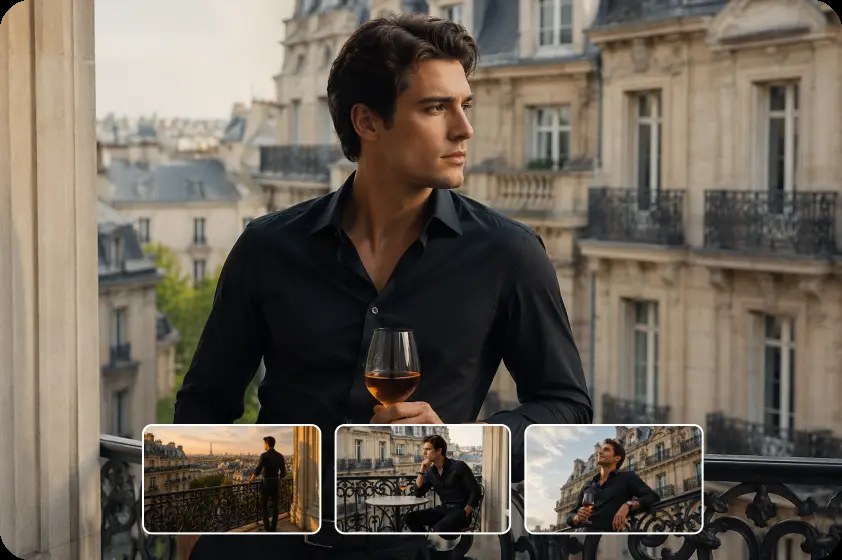
A photograph can hold your attention because of what it leaves still: the pause before a gesture, the shape of light on a wall, or a landscape caught between weather changes. Sometimes, though, you may find yourself wondering what a little movement would add. Would the curtain shift in the breeze? Would the camera move closer, or would the still frame be stronger on its own?
An ai video generator can use a photograph as a starting point for an imagined moving scene. For photographers, the creative challenge is deciding which image benefits from that treatment, what should move, and how to protect the original photograph's intent.
Begin with what makes the photograph work
Before adding motion, look at the image as a photograph. Identify the subject, the light and the relationship between foreground and background. What drew you to this frame in the first place? If the answer is a precise expression or a fleeting arrangement of shadows, changing those details may weaken the image.
Consider a photograph of an empty café table beside a window. The cup and notebook establish the scene; reflected light gives it atmosphere. A subtle shift in the window light might support the mood, while an invented person entering the room would turn it into a different story.
A landscape with clouds, water or grasses might offer an obvious direction for movement. A carefully composed architectural image may benefit from no subject movement at all—perhaps only a restrained virtual camera move. In another photograph, the answer may simply be to leave it still.
The goal is not to animate every picture in a portfolio. It is to choose a small number of images where motion adds something you actually want the viewer to experience.
Choose a source image with room to move
A clear subject and a readable composition give you a better basis for an experiment. Look for an image with enough space around the subject, especially if you want a slow push-in or a change in framing. A tightly cropped photograph can leave little margin before an important detail disappears.
Consider what the original frame does not show. If a tree is cut off at the edge, a simulated camera move may require the generator to invent part of it. If the back of a chair is hidden behind a person, the model has to make a guess about the concealed shape. Those guesses can change the image in ways that look convincing but were never photographed.
Start with a copy of an image you own or are authorised to use. Keep the original file and its edits intact. If the photograph includes a client, model or private location, check the relevant permissions and discuss the planned use before uploading it to a third-party service.
For a first test, a still life or an unoccupied scene can be easier to evaluate than a group portrait. It may have fewer facial expressions and hand movements to review, allowing you to concentrate on the light, objects and composition.
Choose one movement with a reason
Motion can come from the subject, the environment or the apparent camera. Each choice changes what the viewer notices.
In the café example, the subject could remain still while the curtain moves slightly. A soft change in reflections could suggest a quiet passing moment. A slow camera push towards the table could draw attention to the notebook. These are three different ideas, so try them separately.
Describe the movement in relation to what should stay unchanged. “Keep the cup, notebook and table still; let the curtain move gently; fixed camera” is easier to evaluate than “make the scene cinematic”. The latter leaves the direction open and may result in movement you did not want.
Be cautious about adding large actions to a photograph with limited visual information. Asking a seated person to stand, turn and walk across a room requires the generator to invent movement and parts of the environment. If the action is essential and authenticity matters, filming it may be a better choice.
Write a prompt that protects the composition

A useful prompt can name the source image's main elements, one action, the camera movement and the details that should remain stable. You can also describe the pace and mood without relying only on vague style words.
For the café photograph, a starting prompt might be: “Use the image as the composition. Keep the cup, notebook and table in place. A sheer curtain moves gently beside the window. The camera stays fixed, with soft morning light and natural, restrained movement.”
Dreamina supports using an image reference with a video prompt. A photographer could upload an authorised copy of the café image, describe the desired movement and review the resulting clip. Available models, controls and credit costs can vary, so check the selected workflow before generating.
The instruction to keep something unchanged is a creative request, not a guarantee. A cup handle may shift or a window frame may change shape. Watch the result all the way through, then revise one instruction at a time. If the curtain moves too quickly, ask for gentler movement; if the frame changes, simplify the camera direction.
Keep the original photograph beside the clip while reviewing. The comparison makes it easier to notice changes that would otherwise feel natural in motion.
Treat virtual camera movement as interpretation
A photograph records one viewpoint. A generated camera move may simulate a different viewpoint, but the source image does not contain a complete three-dimensional scene. The system may invent the sides of objects, hidden surfaces or background details.
A slight push-in can be useful when the composition has room and you want to guide attention. A large move around a subject asks for more unseen information. With architecture, even a small change may alter straight lines, proportions or relationships between buildings.
This distinction matters if the image documents a real place, a property or an artwork. A generated view should not be offered as an accurate record of an angle the photographer did not capture. If exact geometry or factual representation is essential, work from footage or additional photographs that genuinely show those views.
Creative interpretation can still be valuable. The point is to know when the clip moves from presenting the photograph to imagining what might exist beyond it—and to tell viewers when that distinction matters.
Review movement frame by frame when details matter
A clip may look convincing at normal speed while important details change from one moment to the next. Pause at the beginning, middle and end, then inspect the areas that carry the photograph: the subject's outline, straight edges, reflections, textures and the position of objects.
In the café scene, does the cup stay on the table? Does the notebook gain or lose pages? Do the window panes remain consistent? In a landscape, does a mountain ridge change shape? In a portrait, are eyes, hands and clothing stable?
Watch for a different issue too: motion that is technically smooth but emotionally wrong. A fast, dramatic camera move may undermine a quiet image. An invented facial expression may change how a subject is perceived. The photograph's original rhythm can be as important as visual consistency.
If a result does not respect the image, try a smaller movement or return to the still. You do not have to keep a clip merely because it was generated successfully.
Know when a conventional edit may be enough
Not every moving photograph needs newly generated content. A simple crop or slow scale change in a video editor can create a feeling of movement while preserving the original pixels, subject to the editor's processing and the available resolution. A sequence of still photographs, carefully timed, can also tell a story without inventing action.
Compare that approach with an AI-generated clip. If the purpose is only to draw attention to one area of the frame, a conventional move may be sufficient. If you want to explore how environmental movement changes the mood, generation offers a different creative possibility, provided you are comfortable with the invented elements.
Resolution and framing matter in either workflow. A strong crop can reveal softness or remove context. Preview on the screen size where the video will be shown, and keep a version of the photograph in its original framing for uses where that composition is important.
Decide where the clip belongs
A short moving interpretation might introduce a personal project, accompany a behind-the-scenes post or provide an atmospheric transition in a presentation. In each case, consider what the viewer expects to see.
For a personal creative experiment, a caption such as “AI-animated interpretation of my photograph” can explain the relationship between source and result. For client work, agree on the intended treatment, approval process and disclosure before sharing. A photography portfolio may benefit from clearly distinguishing original stills from generated motion.
Avoid implying that an imagined movement was captured in camera. This is particularly important for documentary, editorial, wildlife or property imagery, where viewers may rely on the work as a record. Follow the submission rules of the publication, competition or client; their requirements may differ.
If you add music, voiceover or other media, check that you have the appropriate permissions. Accurate captions and a clear description can help people understand the piece even when they watch without sound.
Let the original remain an option
The most interesting result may be a gentle moving image, a conventional edit, or the realisation that the photograph says everything it needs to say on its own. Each outcome can help clarify your intent as a photographer.
Start with an image you understand, choose a movement for a reason and review what the process has invented. The original frame remains the foundation; the moving version is a separate creative interpretation of it.