
To learn how to take better photos, first know what makes an image appealing, i.e., balanced lighting, good composition, correct focus and considerate shooting technique. You don’t need to spend money on cameras or other professional tools since mere changes in positioning, timing and camera manipulation can assist novices in achieving more defined and appealing outcomes in their everyday life. A photo enhancer can improve the appearance of blurry, noisy, or low-quality photos by enhancing visible details and improving overall image quality.

Get the Basics Right Before You Take a Picture
Start with the simple tricks that help you take a better picture before moving on to more complex methods. A good shot is generally the outcome of a couple of snap decisions made and subsequently the shutter button. It may be worthwhile to check your subject, lighting, background and camera steadiness which can significantly improve your pictures, whether you are working with a professional camera or a smart phone.
Choose Your Subject
Any good photograph must have a definite focal point. Consider what you want viewers to see first before you capture a picture. This may be the expression of a person, a beautiful landscape, a product, or a tiny detail. Attempt to eliminate needless items that compete with your key topic. By approaching or shifting your position, the subject can be highlighted, making a more effective picture.
Check the Light and Background
Light is able to transform the look of a photo entirely. Before you shoot, look at the source of the light and whether or not your subject is too dark or too bright in the light. A gentler natural light, like window or shade light, can frequently result in a more balanced look.
Focus and Hold Your Camera Steady
A crisp picture begins with the correct focus and constant camera control. On a phone, tap on your subject to focus and on a camera, use autofocus points to make sure that important details are in focus. Cradling your camera with both hands and keeping your body still will minimize undesirable motion and avoid taking blurred photographs. Even minor changes before taking the shot can have a significant effect on the end quality of the shot.
5 Photography Tips to Make Your Photos Better
A more expensive camera is not necessary to take better photos. Minor adjustments to your use of light and framing of your subject matter and capturing of moments can make a significant difference. These are just a few basic photography tips, which can assist the novice photographer in achieving improved results in their daily photography.
Use Better Lighting
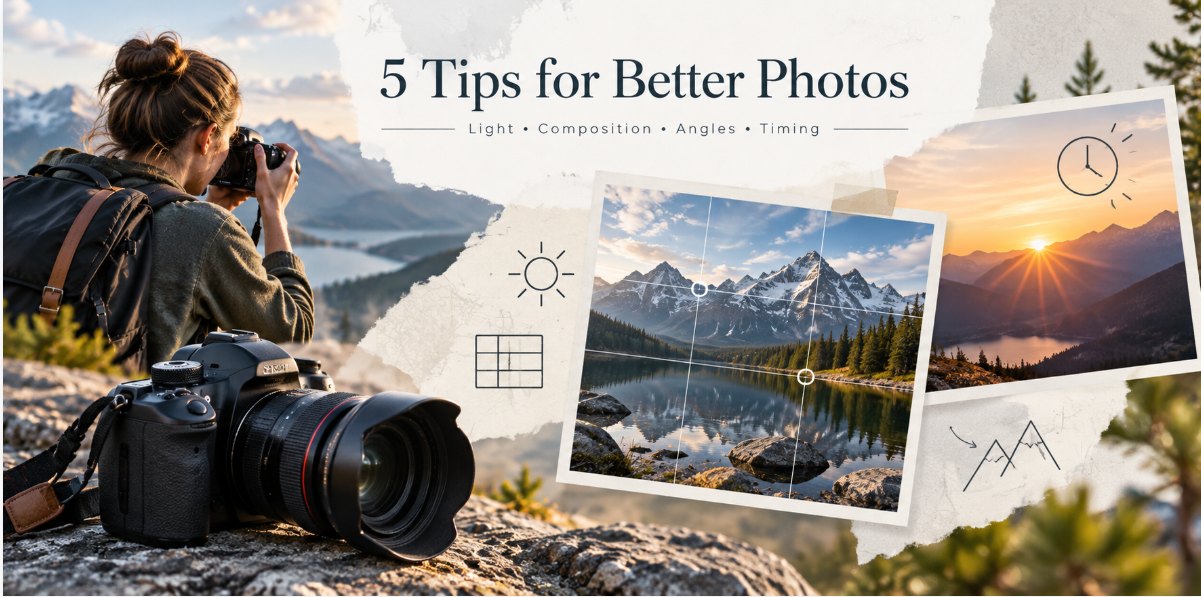
Light can significantly affect the appearance of a photo. Natural light usually produces soft, balanced images and provides the best results. The light from a window is suitable for portraits and indoor photos. Avoid midday when the sun is too strong, as it casts unwanted shadows. Outdoor photography is usually best in the early morning and evening sunlight.
Improve Your Composition
Composition determines what the elements are going to look like within your frame. The rule of thirds is one of photography's key tips. Think of your screen as nine parts and position your subject close to the grid lines. This makes the photo more balanced. In addition, have a plain background. Eliminate distractions such as objects that are not your primary focus.
Try Different Angles
Do not make all the photos at the same eye-level. Either move close, move away, or adjust your shooting angle. A low angle may emphasize a subject, and a high angle may emphasize details. It can be fun to explore alternative perspectives to make mundane scenes more fascinating.
Capture the Right Moment
A good photograph can be a matter of time. In portraits, do not use forced poses but use natural expressions. In pets and sports, be prepared to move swiftly. When traveling or living your day-to-day life, pay attention to tiny situations demonstrating feelings and actual experiences.
Take Multiple Shots
More than one photo will put you at a greater likelihood of achieving the best output. Experiment with angles, compositions and expressions. You may compare the pictures afterwards and pick the best one. Several shots come in particularly handy during crucial scenes where you can't reshoot.
How to Take Better Pictures in Common Situations
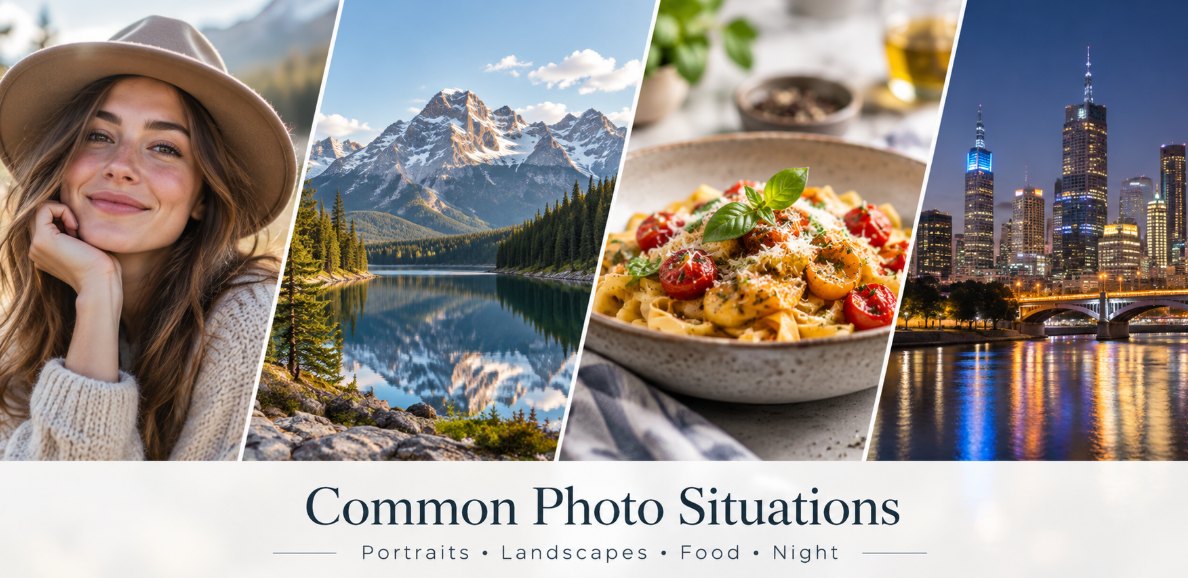
Various situations require varying photography styles. You can't use the same method to capture a portrait, landscape, or night scene. Some simple light tests, placement, and camera manipulation can enable you to know how to take a picture in normal circumstances.
Portraits
In portraits the focus is to make the individual look natural and to focus on the face. Look at the light on the face of the individual prior to capturing a photograph. As an example, you should ensure that you capture a portrait of a friend in a cafe, but with a window instead of high ceiling lights. Watch the eyes as it is the sharp eyes that make the portraits appear more stimulating.
Landscapes
Landscape photographs are more powerful when they are exhibiting depth. Rather than just capturing a mountain or a building, include something in the foreground, perhaps a pathway, flowers or a walking person.
Food
Food photos are more attractive when the food is well-defined, and the arrangement is neat. Direct flash should be avoided as it will make food look flat. Place the dish near natural light, e.g., a restaurant window. In the case of a pizza or a decorated cake, the top perspective will capture the entire setup, whereas a side view will be able to reveal the layers and texture. Take off the table unnecessary things or use napkins.
Night Photos
More care should be taken with night photography since low light may produce blurry photos easily. When taking shots of lights in the city, structures or a night out, hold your phone or camera steady. Turn on night mode (when available on your device) and do not move right away when you press the shutter. For example, when photographing a known building at night, place your phone on a steady surface for a clearer picture.
Pets and Moving Subjects
Pets or children are difficult to capture as they are seldom motionless. Take a burst to shoot and choose the best moment afterwards. As an illustration, rather than telling a dog to sit, run, play, or look at something, take pictures of it when it is running, playing, or looking at something of its own accord. It can be more personal to keep the subject in focus and shoot the photo at their level of eye elevation.
What If Your Photo Still Doesn’t Look Good?
Some photos are simply too valuable to retake, whether they are old family pictures, travel memories, or once-in-a-lifetime moments. If an image is blurry, grainy, low-resolution, poorly lit, or pixelated after cropping, HitPaw FotorPea can help improve its quality.
With its AI photo enhancement tools, FotorPea can sharpen blurry details, reduce noise, improve clarity, and upscale low-resolution images. This makes it a practical option when you want to rescue a photo without having to take it again.
Improve Your Photos With HitPaw FotorPea
It is not always possible to obtain a perfect photo. The birthday of a child, a memory of a trip, or a family photo can have some flaws that cannot be corrected by taking another picture. Under such circumstances, HitPaw FotorPea offers a convenient solution to enhance the quality of images with the help of AI-enhancement tools. It can enhance low-resolution pictures, reduce mild blur and noise, improve facial clarity, and enhance the appearance of old or fading images.

Features of HitPaw FotorPea
- AI Photo Enhancement: Enhances the overall image quality and clarity using AI-based processing.
- AI Upscaling: Can increase image resolution and improve perceived quality of images.
- Blur Repair: Helps reduce the appearance of mild blur caused by motion, focus issues, or compression.
- Denoise Tool: Reduces noise caused by low-light conditions or high ISO settings in photographs.
- Old Photo Restoration: Helps enhance old or damaged photos by improving clarity and appearance.
Pros
- Basic workflow that can be learned easily.
- Several AI models to solve various image problems.
- Helps enhance pictures without the need to have advanced editing software.
- Applicable to portraits, old photographs, travel photographs and social media posts.
Cons
- The AI improvement cannot fully restore information that has been totally lost during shooting.
- Certain features are only available on a paid plan.
- The outcome can be different in relation to the quality of the original image.
A Simple Photo Enhancement Workflow
All it takes to improve a photo using HitPaw FotorPea is just a couple of steps.
Step 1: Download and Install HitPaw FotorPea
Install HitPaw FotorPea. The first thing to do is to download and install it from the official site. Once installed, open the software and prepare the image that you wish to enhance.

Step 2: Upload Your Photo
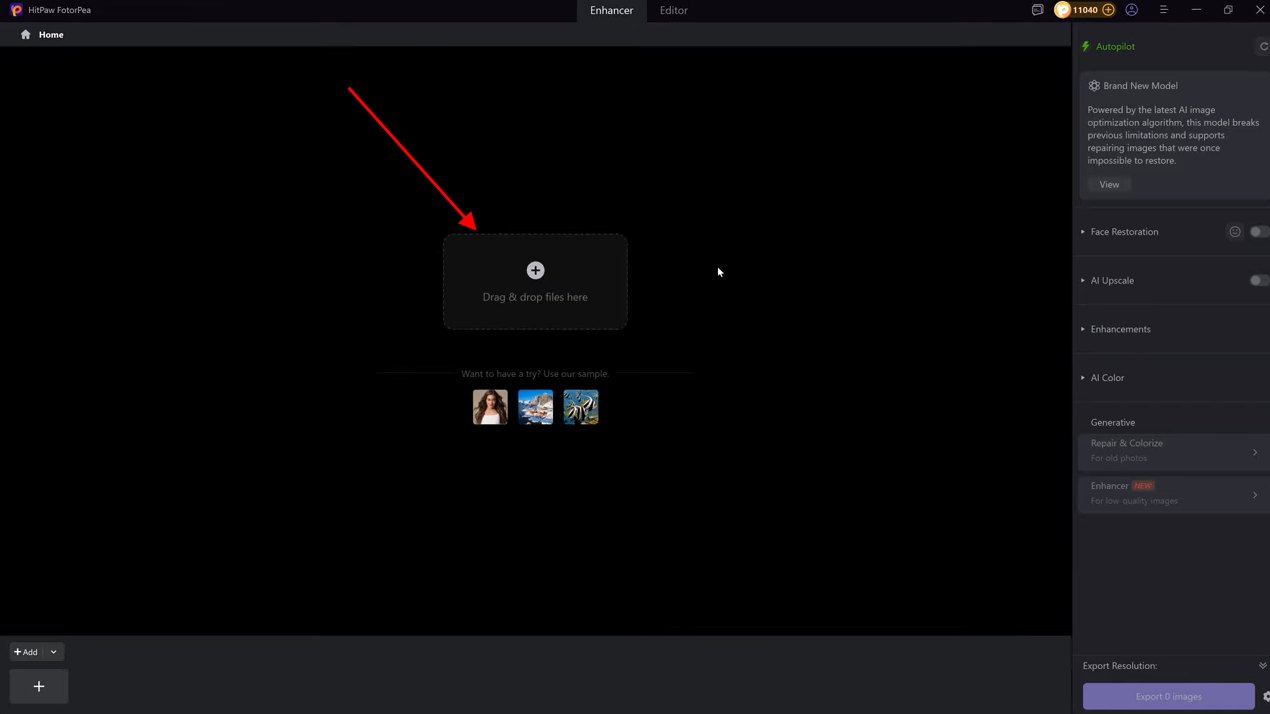
Click on the AI Enhancer option and drop in your photo. You can include pictures of blurred portraits, low-res pictures, old family pictures or pictures taken at night.
Step 3: Select the right AI Enhancement Model
Select the AI model that fits your photo problem. Choose the Face Model for portraits, the Denoise Model for noisy pictures, the Sharpen Model for blurry pictures or the Upscale Model for low-resolution pictures. The selected model will automatically apply enhancement adjustments to your photo.
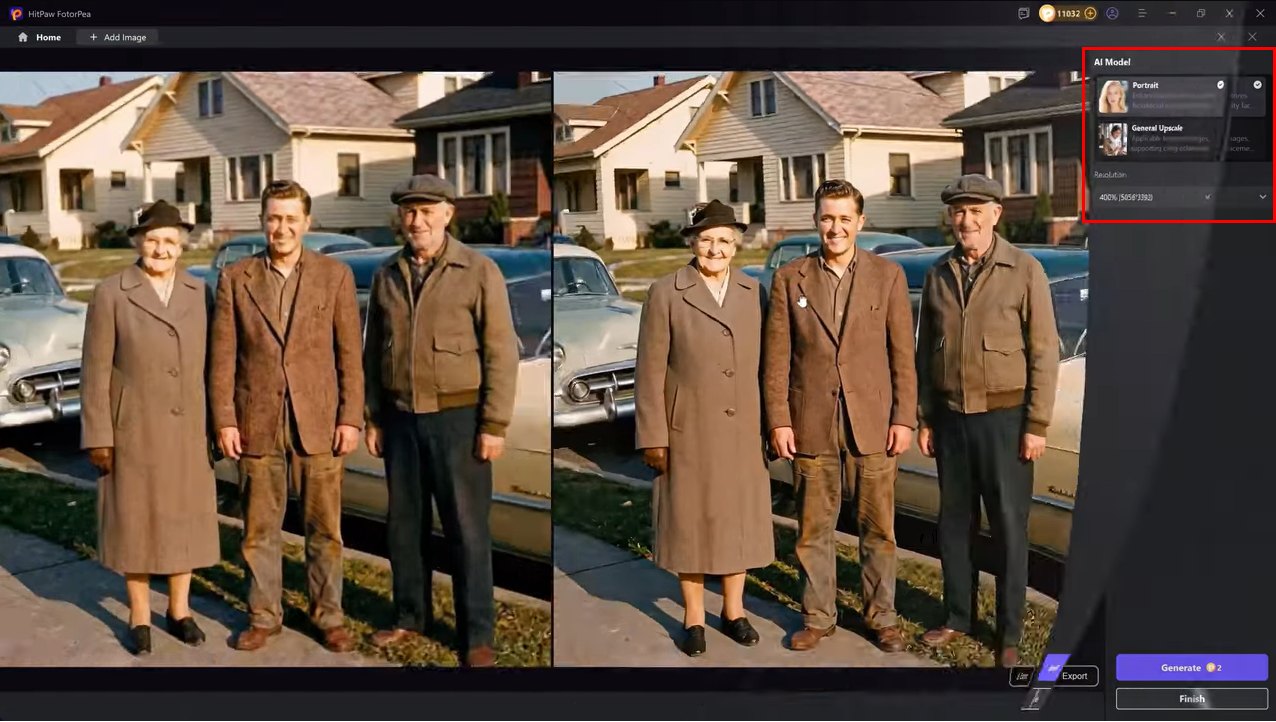
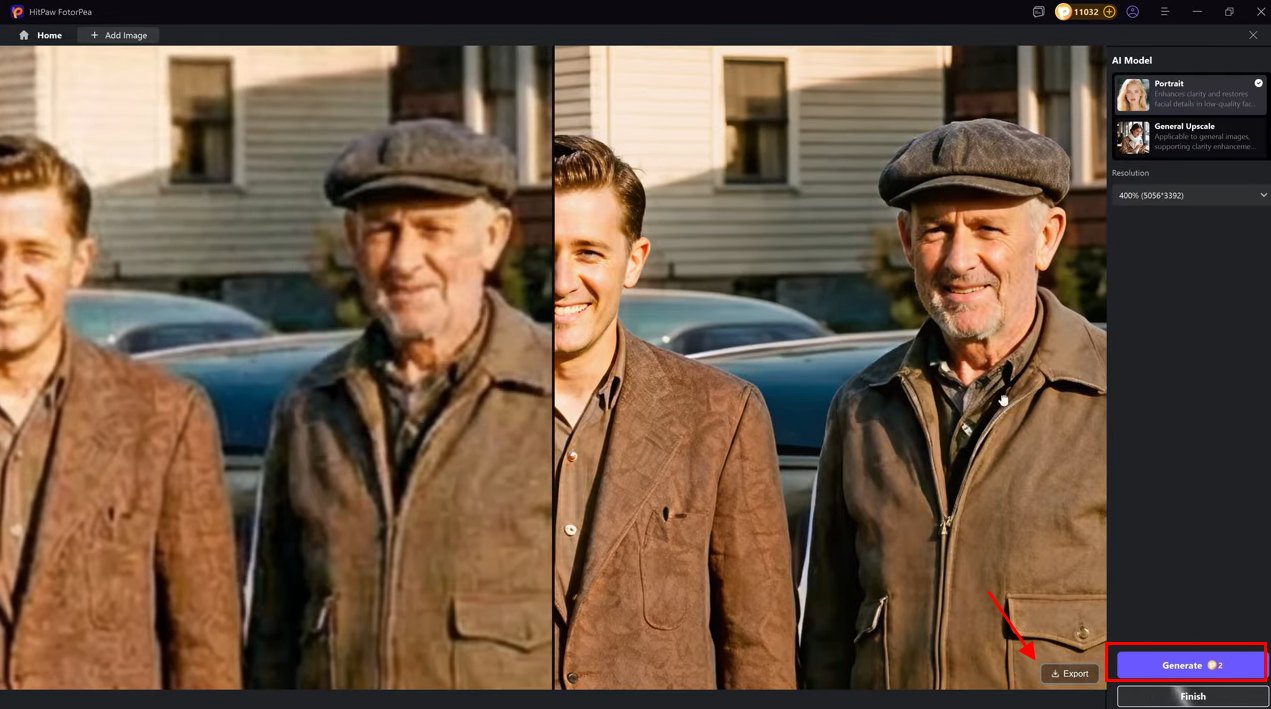
Step 4: Preview and Export the Enhanced Photo
Compare the before-and-after results to evaluate the improvement. When the outcome appears satisfactory, export the improved photograph and store it for printing, sharing, or personal recollections.
FAQs About How to Take Better Photos
1. How can I take better photos?
Begin with proper lighting, clarity of focus and plain composition. Always have your subject in sight, have a plain background and keep your camera still to capture a sharper image.
2. What are the best photography tips for beginners?
Novices ought to work on light, framing, and timing. Photos can be enhanced by minor adjustments in shooting position and camera handling, without the need to spend a lot of money on an expensive setup.
3. How do I take a good picture with my phone?
Wipe off the phone camera lens with a cloth prior to taking photographs. Turn on grid lines, tap to focus, beware of excessive digital zoom, and determine when to use natural light.
4. How do I make a blurry picture clearer?
Photo enhancers based on AI can be used to enhance blurry images by sharpening the details and removing noise. Nevertheless, there is a risk that photos that are extremely blurred will not restore all the information lost.
5. Can I improve the quality of a low-resolution photo?
Yes, AI improvement technologies have the ability to sharpen images and enhance their clarity. They can be used on old pictures, cropped photos and images that require improvement in quality to be shared or printed.
Conclusion
How to take better photos is about applying simple tricks such as proper lighting, good composition, steady shots and the appropriate time. These simple steps can help even novices enhance their images, even without the use of costly equipment. HitPaw FotorPea can improve photo quality by sharpening details, reducing noise, increasing clarity, and enhancing overall image appearance.