
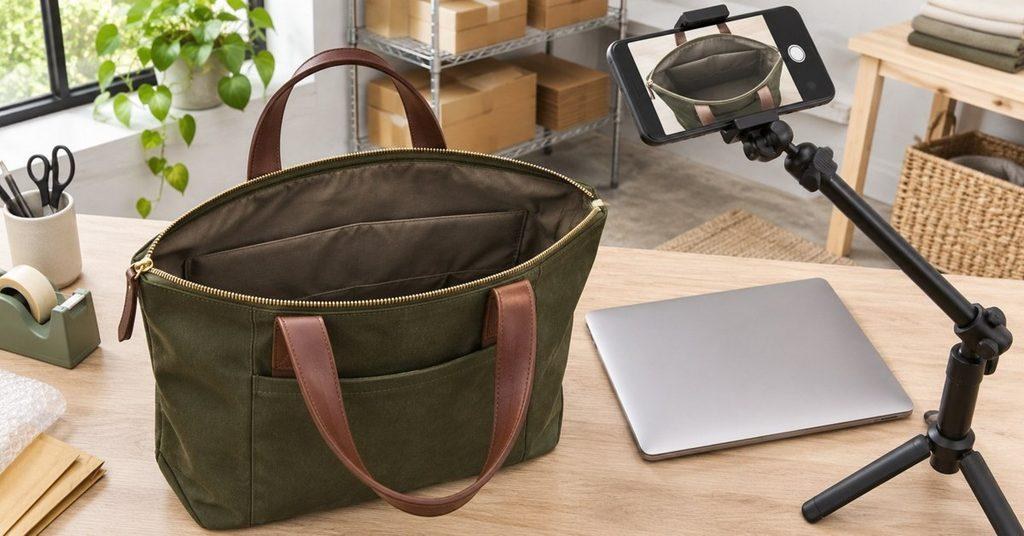
A front-on photograph can show the stitching on a laptop tote beautifully and still leave a shopper wondering whether the bag will zip shut around their computer. To answer that, lower a real laptop into the tote and film the zipper closing. The tricky part is finding a camera position where your hand, the handle and the near side of the bag don’t all hide the same moment.
You can make that shot with a phone, a table by a window and a piece of white card. Set the laptop aside for a minute. The first thing to look at through the camera is the empty opening.
Find the angle with the bag open
Unzip the tote, fold the handles away from the opening and set it down as it would stand during normal use. Start with your camera just above the rim, looking slightly down into the bag. Raise it until you can see both ends of the zipper and the top of the padded sleeve. Then lower it a little if you’ve lost the front face of the bag. A straight overhead shot can show the opening well but makes it hard to tell how far the laptop has gone in.
Decide what will share the frame before you set up the light. If a client also wants a rainy commuter scene, you can sketch that separate opening with the Seedance 2.5 video generator. For the fit demonstration, keep the real bag and laptop together in view from first contact to the moment the zipper closes. That uninterrupted movement is what lets someone judge the fit.
Light the lining as well as the outside
Turn the open bag until light from the window reaches the edge of the sleeve. Watch the separation between the dark lining and the teeth of the zipper. If they merge into a black band, stand a white card just outside the frame on the shadow side. Move it closer while looking through the camera. Stop when you can see where the sleeve begins. Leaving a little shadow along the seam helps show its depth.
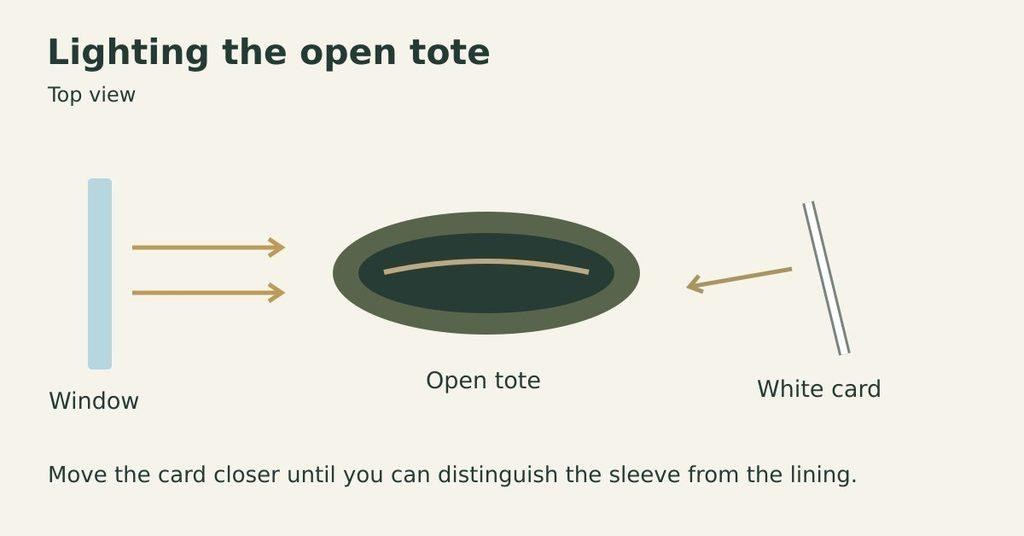
A white card on the shadow side bounces some window light back into the lining.
A silver laptop can introduce a bright reflection the moment it enters the frame. Hold it halfway into the bag and check the shot again. If the lid reflects a rectangle of white window light, turn the whole setup a few degrees and look again. This is easier to catch with the laptop in place than by trying to guess from the empty bag.
In Improve Photography’s product photography interview, photographer Sandy Dorau recommends checking focus on a larger screen. For this shot, play a short rehearsal on a laptop if you have one nearby. Look at the zipper teeth as your hand enters. If the hand snaps into focus and the opening goes soft, set focus on the near edge of the opening and lock it if your camera allows. Rehearse once more to see whether both ends stay clear.
Keep the tightest part of the fit in the shot
Run through the action once without recording. Stand on the side where your wrist leaves the zipper visible. Check the frame with the bag both empty and loaded. A soft-sided tote can shift or slump, and the top corner of a laptop may briefly reach higher than you expect.
- Start with the open bag and the closed laptop together. Leave a moment for the viewer to see the width of the opening.
- Slide the laptop into the padded sleeve at your usual pace. If you have to turn one corner to clear the zipper, let that adjustment show.
- Release the laptop, then close the zipper in the same take. Leave the closed top edge in frame for a beat before reaching for the camera.
If you want a close-up of the stitching or zipper pull, shoot it afterward. It makes a useful detail photograph. Cutting to it just as the laptop meets the rim would hide the very thing a shopper came to see.
Give the viewer enough information to use the shot
Identify the bag size and the laptop you filmed. Mention a protective case if you used one. The “13-inch” description on a computer refers to its display class. For example, Apple lists the 2024 13-inch M3 MacBook Air as 11.97 inches wide and 8.46 inches deep. Those body measurements give someone with another laptop a more useful comparison. Measure the bag’s clear zipper opening and usable pocket separately.
Choose a cover frame with the computer partway in and both sides of the opening visible. Watch the export once on a phone with the sound off. If a size label covers the laptop corner as it passes the zipper, move the label into the empty space above the tote. If you can only tell the bag closed because you heard it, hold the final frame longer or repeat the shot from slightly higher up.
Deliver the fit demonstration as its own clip so the client can use it on the product page. If you also prepared a mood shot in Wizstar, identify that file separately. For instance, a rain-on-glass opening made at wizstar.com could introduce the collection film. A shopper comparing bag sizes can go straight to the few seconds that matter: the corner clears the opening, the laptop settles into the sleeve, and the zipper meets the far end.