Find any photo in 60 seconds. Never lose one.
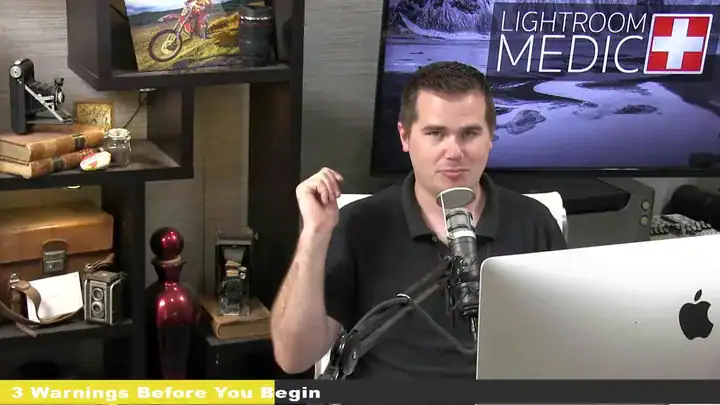
Lightroom Medic is Jim Harmer’s video course on organizing and backing up your Lightroom catalog. It’s about 1 hour 48 minutes, with a written outline and 52 presets.
Watch right away. 4 videos, outline PDF, 52 presets. 30-day money-back guarantee.
A messy catalog costs you photos.
Photos spread over three drives. Catalogs on a laptop and a desktop. Exclamation marks where photos used to be. And no idea if your backup would actually work.
The course’s goal is simple, in Jim’s words from the outline:
- Every photo findableIn 60 seconds or less
- One catalog, one driveWith merging steps if yours is split
- Nearly zero riskOf losing a photo, with a backup that fits your budget
What the course covers
Four videos, about 1 hour 48 minutes, following a 5-page outline you also get as a PDF.

5 rules for an organized catalog
The rules that make everything else work.
- Every photo on the same drive
- Every photo in one catalog, on the computer’s internal drive
- Every raw file, catalog and preset backed up on a separate drive
- Never change anything outside of Lightroom
Quick fixes and merging catalogs
Settings to change today, and the exact method for combining catalogs from a laptop and a desktop.
- Settings to change today
- Merging catalogs from two computers
- Fixing missing-photo exclamation marks
- Moving and renaming folders safely
Making photos findable
Why folders are the weakest way to organize, and what to use instead.
- A star rating system for culling
- Smart collections
- Keywording that you’ll actually keep up
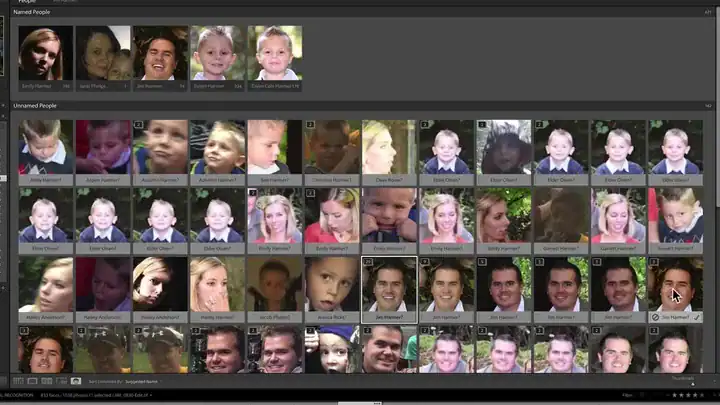
- Facial recognition: about 5,000 photos an hour with Jim’s system
Backups and the deep dive
Match your backup to how much risk you can live with.
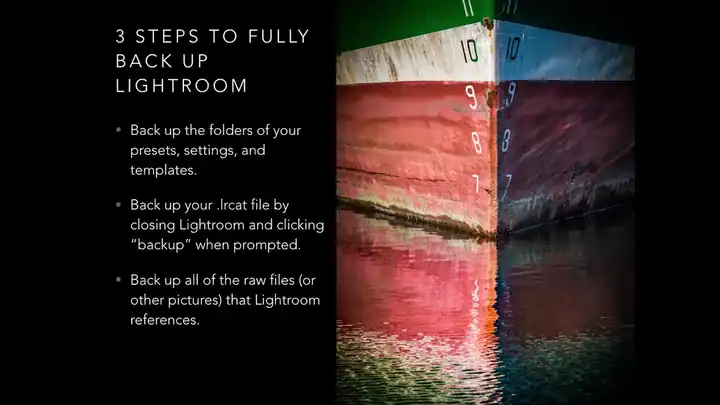
- What needs backing up, and how
- Outgrowing your computer: external drives and RAID
- Smart previews, and two computers with one catalog
- Managing presets and brushes, and DNG files

Plus 52 Lightroom presets to drop into your newly organized library.
Everything you get for $49
The whole course, the outline and the presets.
Lightroom Medic
4 videos · about 1 hour 48 minutes · outline · 52 presets
4 video lessons
About 1 hr 48 minRules, quick fixes, finding photos, backups and a deep dive.
Course outline
5-page PDFEvery step written down, so you can follow along.
52 Lightroom presets
5 packsImport (6), Export (8), Everyday Photo Designs (11), Portrait Design (14), Landscape Photography Trends (13).
Stream or download
Yours to keepWatch on the course page or download the videos (about 3.7 GB).
$49
One-time payment. No subscription.
Fix my catalog for $49- Secure checkout by Stripe. Have a coupon? Enter it there.
- Right after you pay, you go straight to the course page. There’s no login.
- 30-day money-back guarantee. Questions? [email protected]

Taught by Jim Harmer
Jim Harmer founded Improve Photography, which has helped millions of photographers get better. He was once listed as one of the 10 most popular photographers in the world, and his landscape and portrait work has appeared in major publications.
Lightroom Medic is the system he uses for his own photos, and it answers the catalog questions photographers sent in.
30 days to decide. No questions asked.
Watch the videos and read the outline. If it isn't for you, email [email protected] within 30 days and we'll refund your $49.
Questions before you buy
Is this a Lightroom editing course?
No. As the outline says, you won’t edit a single photo. It’s about organizing, finding and protecting your photos. For editing, see Lightroom 101.
Which version of Lightroom?
Lightroom Classic. The course was recorded in late 2016, so a few menus have moved, but the system is the same.
Should I back up first?
Yes. Before you change anything, back up your catalog, presets and photos to a separate drive. The course starts by telling you to.
How do I watch it?
Right after you pay, you go to the course page. Stream the videos there, or download them to keep. The downloads are about 3.7 GB, so use Wi-Fi.
Is this a subscription?
No. It’s a one-time payment of $49. If you have a coupon code, enter it on the checkout page.
What if it’s not for me?
Email [email protected] within 30 days and we’ll refund your $49. No questions asked.
Get your catalog under control this weekend.
About 1 hour 48 minutes of video, a written outline and 52 presets. Know where every photo is, and that it’s safe.
Fix my catalog for $49One-time payment · watch right away · 30-day money-back guarantee
P.S. One dead hard drive can take years of photos with it. A backup plan costs $49 and an afternoon. Get Lightroom Medic.